iPhone to Android
Quick answers
- How do I move my accounts from iPhone to Android?
- Show each account's QR code on the iPhone and scan it in TOTP Authenticator on the new Android phone. It's free and works account by account. Cloud Sync doesn't help here, since it uses iCloud on iOS and Google Drive on Android separately.
The reliable free way to move from iPhone to Android is per-account QR: show each account's QR on your iPhone and scan it in TOTP Authenticator on the new Android phone. Cloud Sync can't carry accounts across on its own, because iOS uses iCloud and Android uses Google Drive.
Symptom
"How do I move my accounts from iPhone to Android?"
Why this happens
Cloud Sync uses each platform's own cloud service (iCloud on iOS, Google Drive on Android), so it only syncs within a platform, not across. You have two ways across: an offline backup file made on one platform restores on the other, or you can move accounts one at a time with each account's QR code. Both are free.
Fix
- Install TOTP Authenticator on the new Android phone.
- On the iPhone, open an account and show its QR code.
- On the Android phone, tap Add → Scan QR and scan it.
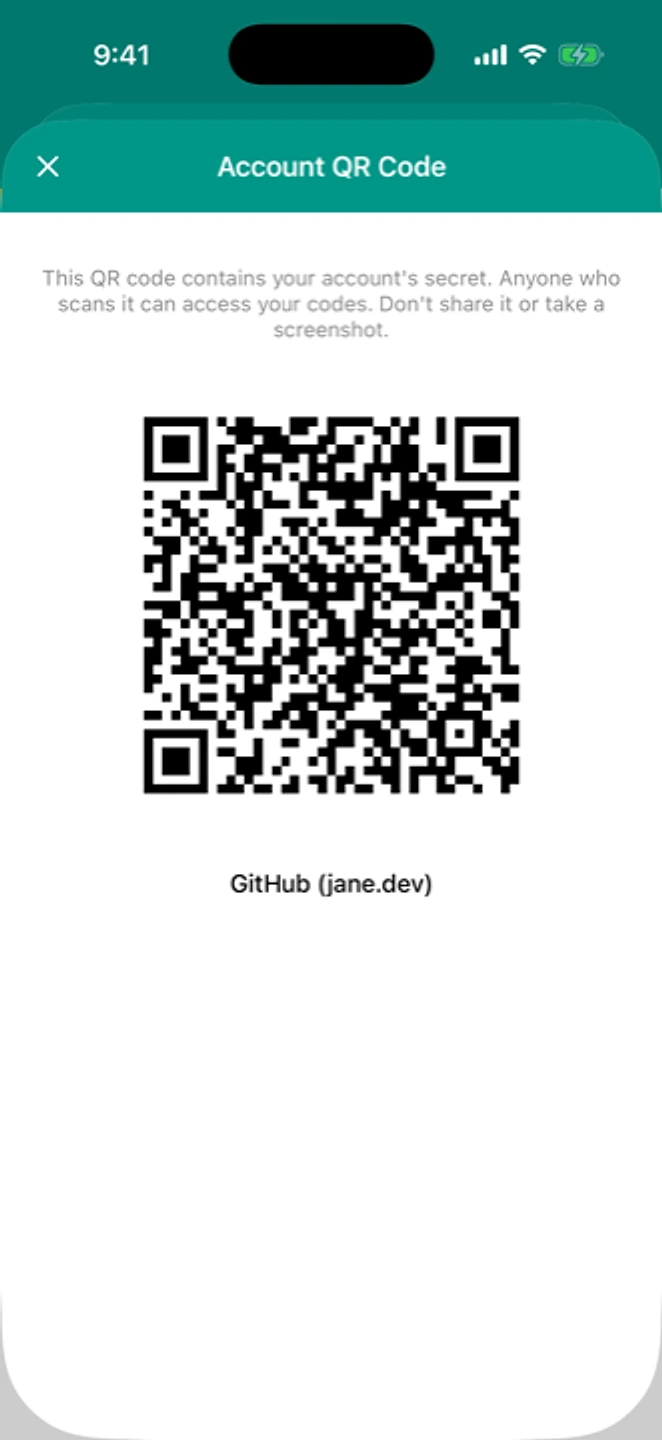
The old phone shows the account QR. The new phone scans it. - Verify the code matches on both phones, then repeat for each remaining account.
- Once every account is confirmed working on the Android phone, remove them from the iPhone.
If that didn't work
If scanning itself is the problem, see QR code won't scan.
Related: Android to iPhone · Moving to a new phone · QR code won't scan · Help centre