Switch from Microsoft Authenticator
Move from Microsoft Authenticator to TOTP Authenticator
Takes about 15–30 minutes, depending on how many accounts you have · You won't lose access to anything
Microsoft Authenticator backs up personal Microsoft-account sign-in to your Microsoft account, but it has no export for the third-party accounts you've added. Switching to TOTP Authenticator therefore means setting two-factor authentication up again on each of those, one account at a time.
Steps (repeat for each account)
-
List what you need to move
Open Microsoft Authenticator and list every account you added there. You’ll work through that list one account at a time, because the app won’t show or export the underlying codes.
-
Turn 2FA off, then back on, for each account
In the account itself, open its security settings, remove the existing authenticator method, then set one up again. Choose “authenticator app” generically where offered, rather than a Microsoft-specific option, so you get a QR code any app can read.
-
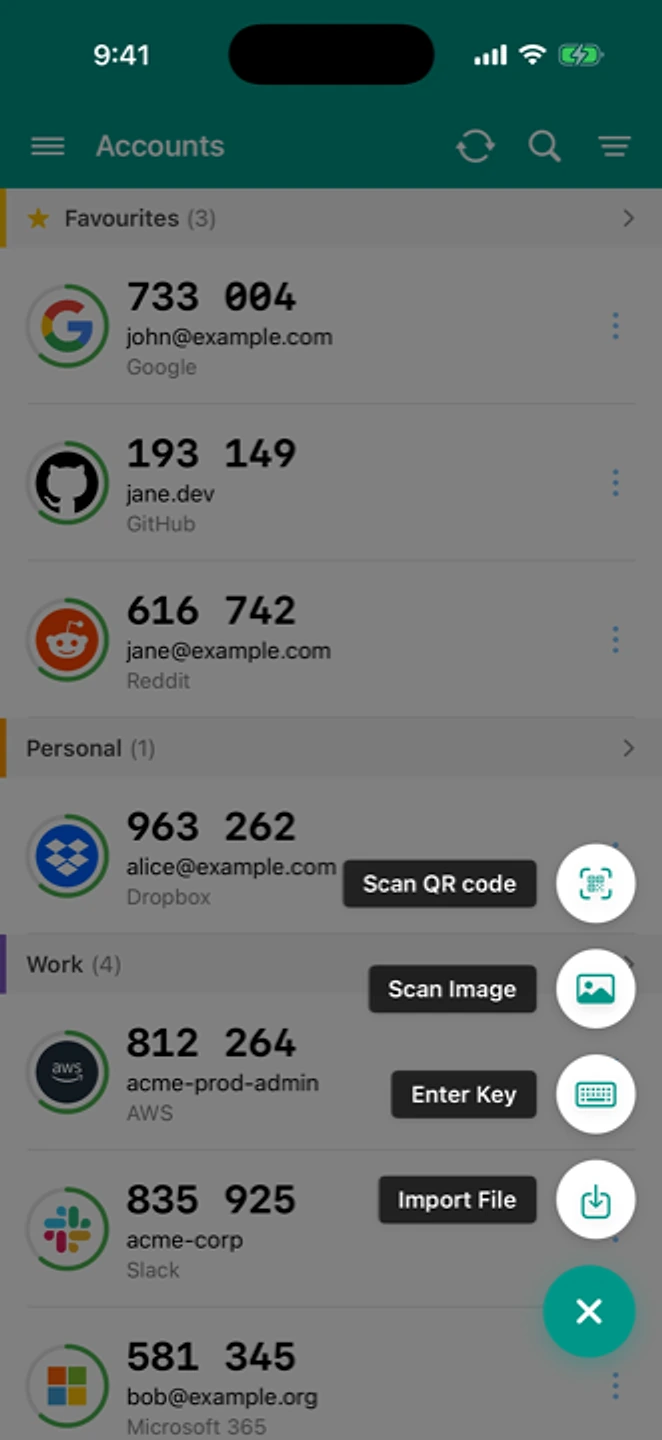
Scan the new QR in TOTP Authenticator
Add → Scan QR, then confirm the six-digit code matches on the account’s page before you move to the next account.
If something went wrong
"This account only offers “Microsoft Authenticator”, no QR code"
Look for a “can’t scan the QR code?” link. Behind it, most sites print the secret key as plain text, and you can type that into TOTP Authenticator by hand.
"I use Microsoft Authenticator for a work or school account"
Work and school (Microsoft Entra) accounts usually follow your organization’s policy, so check with your IT team before you move anything. TOTP Authenticator is built for accounts you control yourself, like personal email, banking and shopping logins.
"Codes are rejected after re-enrolling"
This is almost always clock drift rather than a bad setup. See how to fix clock drift
If one account won't cooperate, contact us. The form arrives with your app version and OS filled in.
What's different here
Microsoft Authenticator's cloud backup is handy if you're staying inside Microsoft's world, and it can sign you in to your Microsoft account without a password, which a plain code generator can't do. TOTP Authenticator behaves the same way for every account on every platform, and doesn't require a Microsoft account to use at all. Backup, restore and moving accounts by QR are free. A one-time purchase (per platform) adds Cloud Sync and browser push, see /pricing.