Backup isn't working
Quick answers
- Why isn't my backup working?
- Usually low device storage or a save location the app can no longer write to. Update the app, free up space, and try Share Backup instead of a default folder. Then open the file once to confirm it saved before you rely on it.
If creating a backup fails, it's almost always low storage or a save location the app can no longer write to. Free up space, try Share Backup instead of the default folder, and confirm the file appears where you expect before deleting anything from the old phone.
Symptom
"I can't create a backup" / "backup keeps failing"
Why this happens
Offline backup is free and doesn't require a purchase, so a failure here is a storage or permissions issue, not a paywall. On Android 11 and newer, writes to the old default public folder used to fail entirely under the OS's scoped-storage rules. That specific bug is fixed as of version 1.95 (see "permission denied"). Otherwise the usual causes are low storage, or the save being interrupted partway through.
Fix
- Update to the latest app version.
- Check that your phone has free storage space.
-
Try "Share Backup" and send the file to another app (Files, Drive, email to yourself)
instead of saving to a default folder.
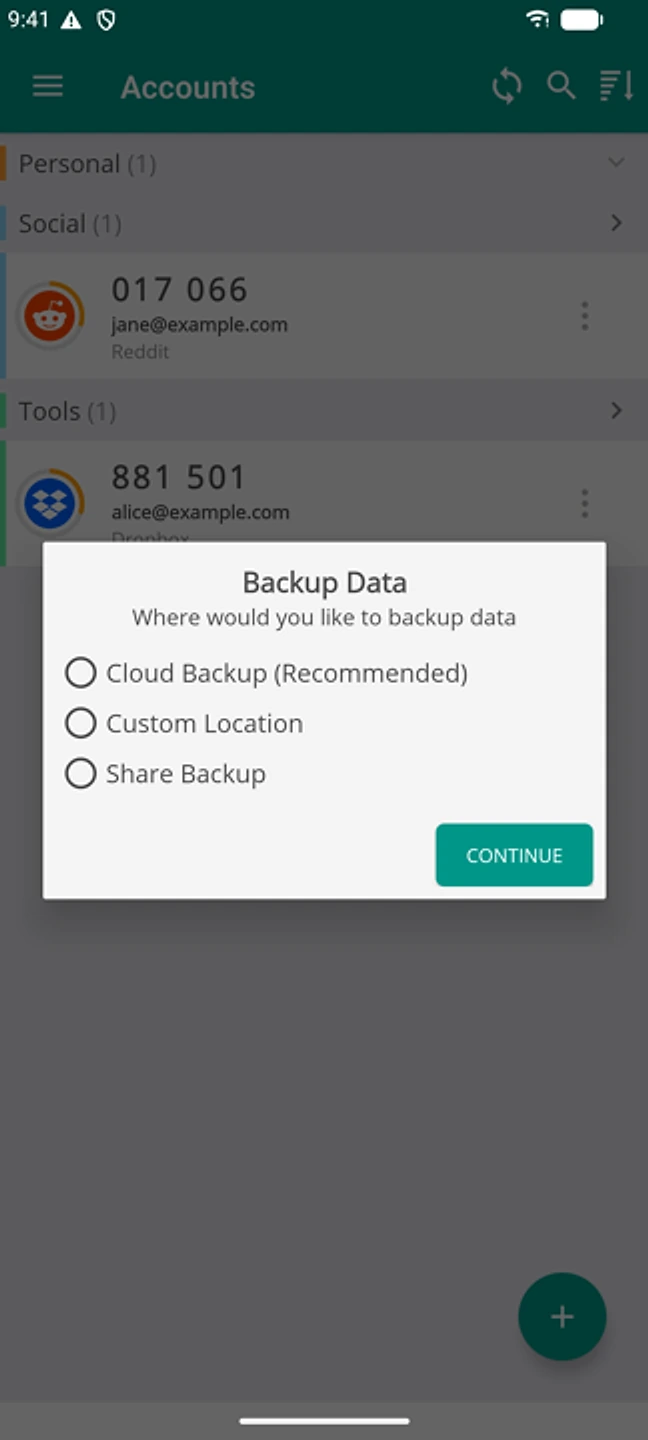
Pick Share Backup rather than the default location. - Open the resulting file once to confirm it saved correctly before you rely on it.
If that didn't work
Contact support with your app version and phone model. A backup that still fails after an update and with free space available is worth us looking at directly.
Related: "Permission denied" (fixed) · Restoring on a new phone · Do I have to pay to move phones? · Help centre