Restoring on a new phone
Quick answers
- Why won't my backup restore on my new phone?
- Usually the wrong file was picked. On Android 11 and newer, the backup may also have been saved to the default location, which is deleted when the old app is uninstalled. Use Share Backup or a custom location before switching phones, and double-check the file in Restore.
To restore on a new phone: install the app, open Restore, and pick your backup file. It's free, with no purchase needed. This only fails when the wrong file is picked, or the file itself is gone, most often because it was saved to a location that got cleared.
Symptom
"I can't restore my backup on my new phone."
Why this happens
Three things cause this, in order of how often we see them:
- The wrong file was selected: an old backup, or a file from a different app.
- On Android 11 and newer, a backup saved to the app's "Default Location" is stored inside the app's own storage area, which Android deletes automatically when the app is uninstalled.
- The wrong password is being used for a backup made on the other platform. The file itself works across platforms. A backup made on iOS restores on Android, and the other way round. If it isn't restoring, check the backup password first, or move accounts one at a time. See Android to iPhone or iPhone to Android.
Fix
- Install TOTP Authenticator on the new phone.
- Open Restore and go to wherever the backup was saved: the place Share Backup sent it, a custom folder, or Downloads.
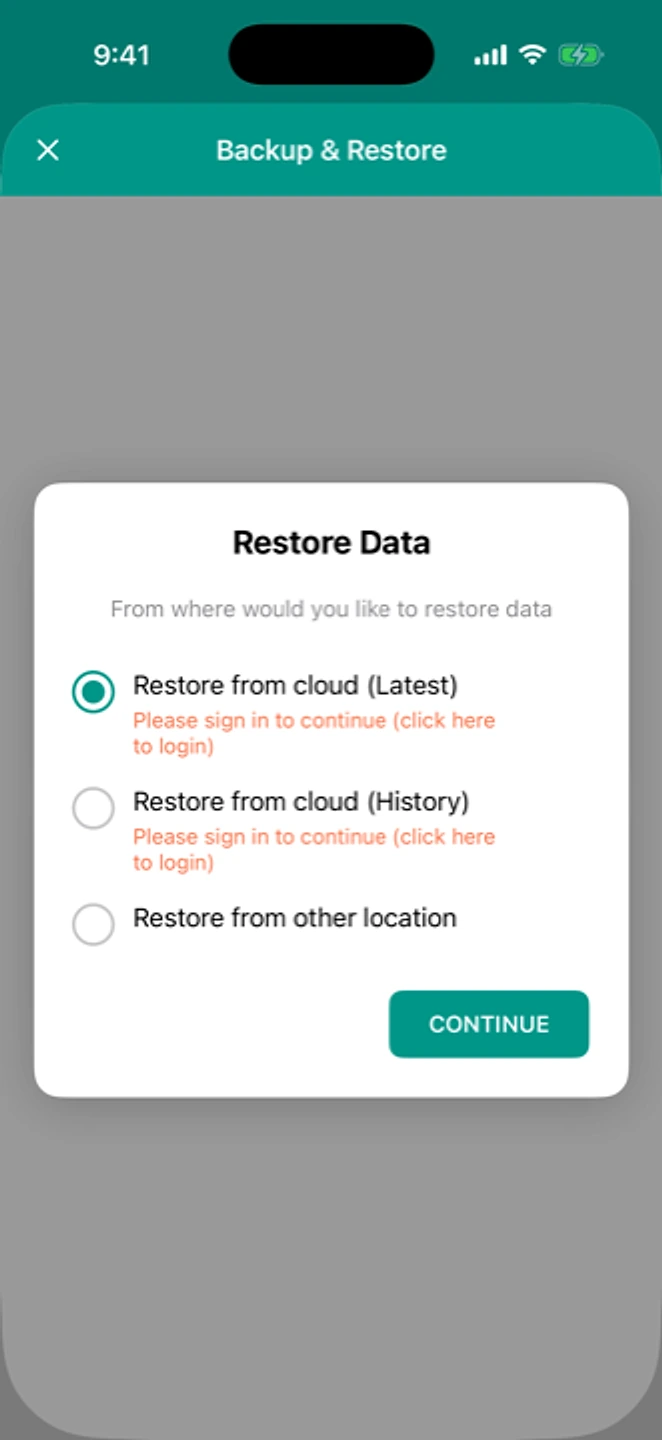
Restore can read the file from wherever you saved it. - Select the backup file.
- Verify every account's code matches before removing the app from your old phone.
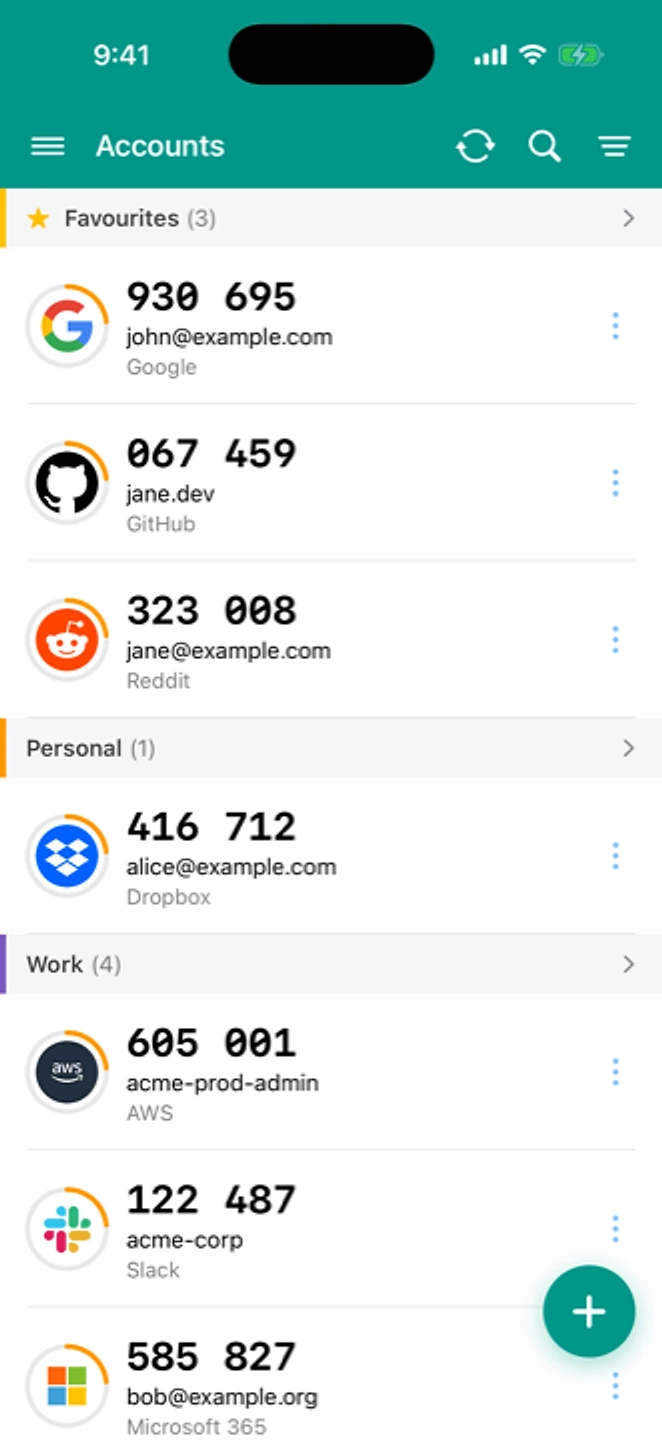
Check every restored account produces a working code before you wipe the old phone.
If that didn't work
If the backup used the default location and the old app is already uninstalled, that file is gone. Check anywhere you might have shared a copy: email, a cloud drive, a messaging app. If your old phone still has the app installed, use the per-account QR method instead. It doesn't depend on a saved file at all.
Related: Moving to a new phone · Backup isn't working · Android to iPhone · Help centre