Do I have to pay to move phones?
Quick answers
- Do I have to pay to move my accounts to a new phone?
- No. Moving your accounts to a new phone is completely free, either with an offline backup file or by scanning each account's QR one at a time. Cloud Sync is a one-time purchase (per platform) that adds convenience, not a requirement.
No. Moving your accounts to a new phone is free. The offline backup file and the per-account QR method both work without buying anything. Cloud Sync is a one-time purchase (per platform, see /pricing) that saves you the manual steps. You don't need it to keep or move your codes.
Symptom
"there is no option to transfer your code to a new device for free. you have to buy a subscription to make backup/restore."
Why this happens
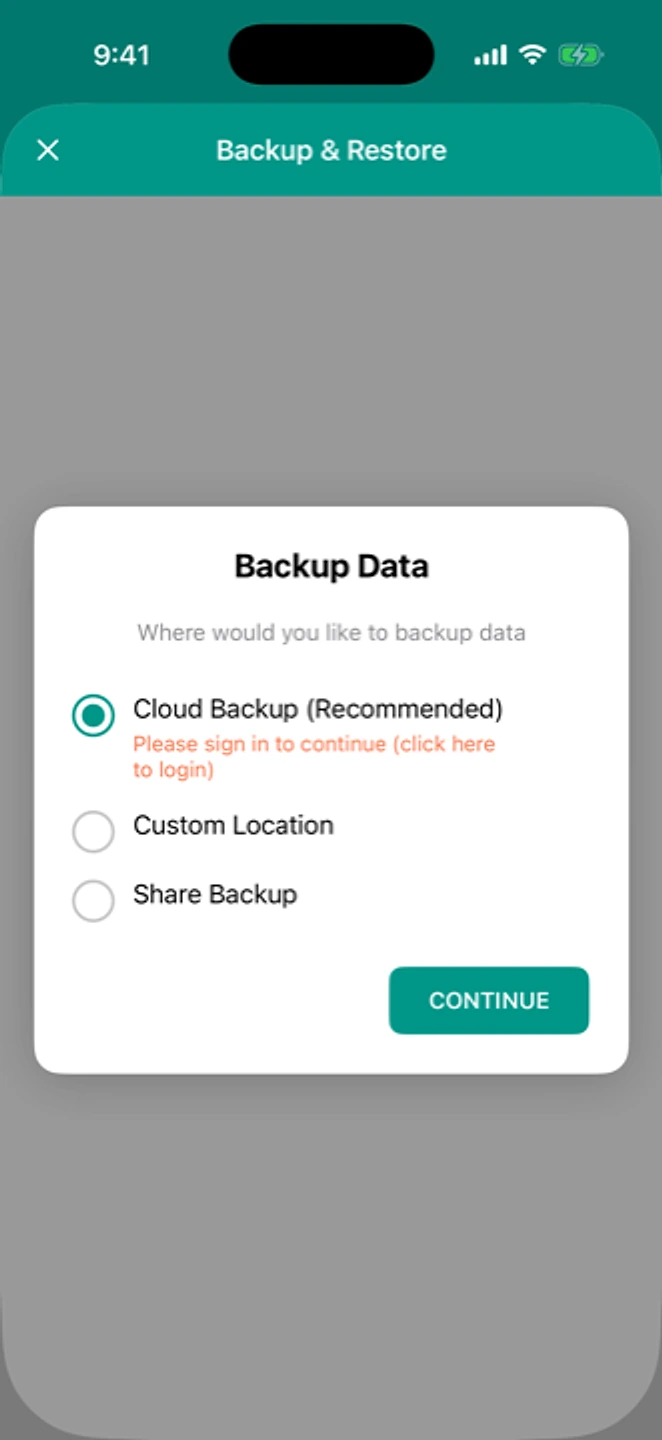
This is a common belief, and the app itself is why. In the backup dialog, the paid option is labelled "Cloud Backup (Recommended)" while the free offline backup sits next to it with no such label. You read "Recommended," tap it, hit the purchase screen, and conclude that backup costs money. It doesn't. The free path is just never called out as enough on its own.
Fix: moving your accounts for free
- On your old phone: Settings → Backup → create an offline backup, then use "Share Backup" to send it somewhere you can reach from the new phone.
- On your new phone: install the app, open Restore, and select that file.
- Or, account by account: open an account on the old phone, show its QR, and scan it on the new phone with Add → Scan QR. Repeat for each account. It's manual, but free, and needs no file.
If that didn't work
If the backup or restore itself is failing, see backup isn't working or restoring on a new phone.
Related: Moving to a new phone · Restoring a purchase · What's free and what isn't · Help centre