I paid and the feature doesn't work
Quick answers
- I paid and the feature still does not work. What is wrong?
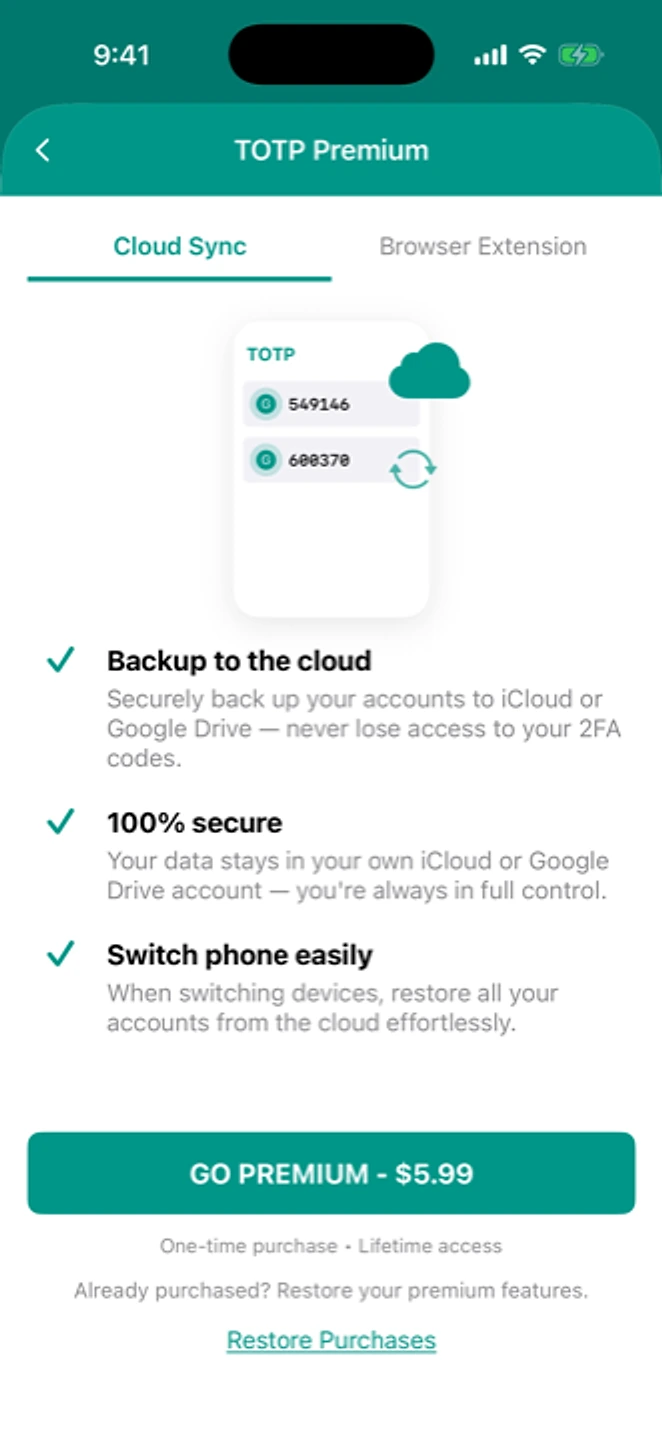
- First confirm which feature you mean: backup, restore and moving accounts by QR are free and unaffected by any purchase. Cloud Sync and browser-extension push are the paid features. If either isn't working after buying, use Restore Purchase and confirm you're signed in to the right store account.
Cloud Sync and browser-extension push are the only paid features. If either isn't working after buying, first make sure the purchase is recognized: tap Restore Purchase, on the same store account you bought with. Then check you're signed in to iCloud or Google Drive. Backup, restore, and moving accounts by QR are free and unaffected by purchase status.
Symptom
"Already purchased the premium account and still dont have permissions to load a local backup." / "Boasts cloud sync in the TITLE… upon opening the app you discover they want you to pay… False advertising."
Why this happens
Two different problems get run together here, and they need different fixes:
- Offline backup and restore are free and have never required a purchase. If those were blocked, that was a separate bug, now fixed (see "permission denied" (fixed)), not a purchase issue.
- Cloud Sync and browser-extension push are genuinely paid. If a real purchase isn't being recognized on this device, that's a Restore Purchase problem, not a fault in the feature itself. See restoring a purchase.
Fix
- Work out which one applies: free (backup, restore, QR transfer) or paid (Cloud Sync, browser push).
- For paid features: open the Cloud Sync or Browser Extension screen and tap "Restore Purchase."
- For Cloud Sync specifically: confirm you're signed in to iCloud (iOS) or Google Drive (Android), and that you have a network connection.
- Update to the latest app version.
If that didn't work
Contact support with a screenshot of the error and the store account/region you purchased with.
Related: Restoring a purchase · Do I have to pay to move phones? · What's free and what isn't · Help centre