Widget isn't updating
Quick answers
- Why isn't my home screen widget updating?
- Almost always the phone's OS limiting background refresh to save battery, not a bug in the code itself. Remove and re-add the widget, and exclude the app from battery optimization.
If the home screen widget shows an old or blank code, it's almost always your phone limiting background refresh to save battery, not a bug in the code itself. Remove and re-add the widget, and make sure the app isn't restricted by battery optimization.
Symptom
"My widget isn't showing the current code / hasn't updated."
Why this happens
Home screen widgets refresh on a schedule the phone controls, and both iOS and Android now limit background updates harder to save battery. A widget can also go blank if the app was force-stopped or blocked from running in the background.
Fix
- Remove the widget from the home screen and add it again.
-
Android: Settings → Battery → make sure TOTP Authenticator isn't restricted or "optimized."
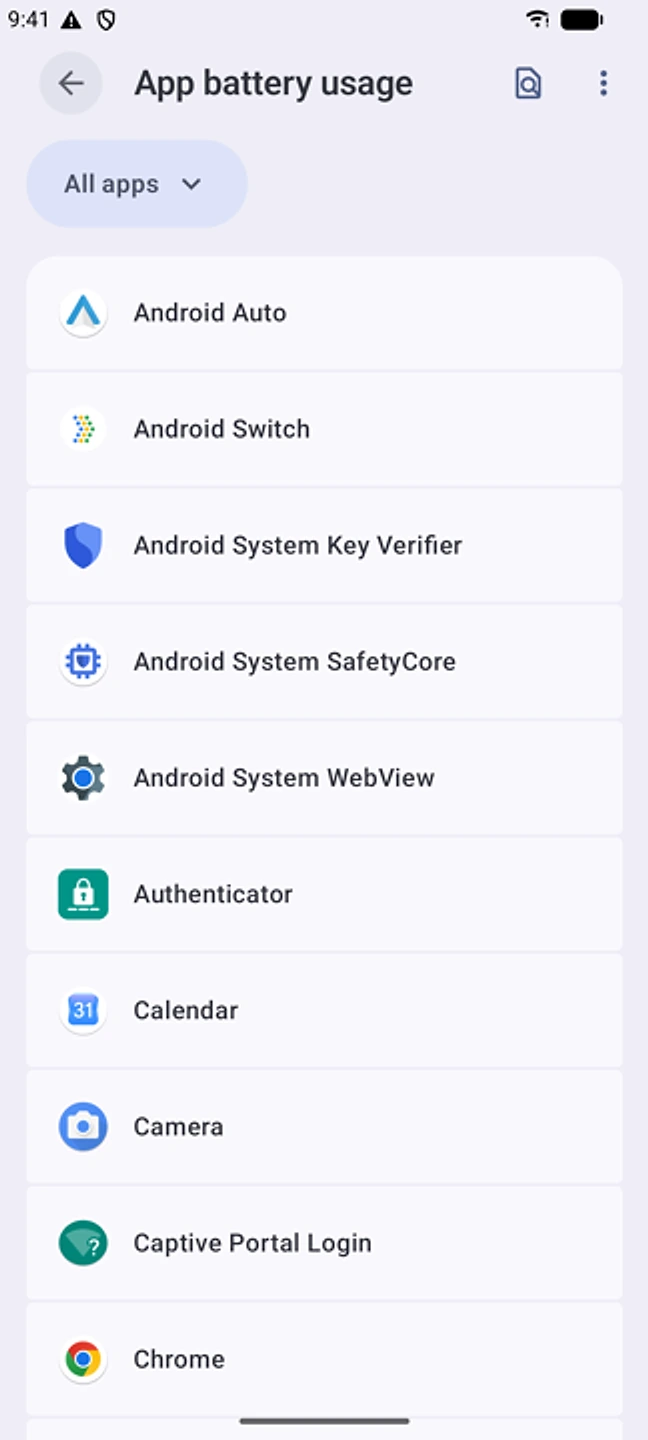
Find the app under App battery usage and make sure it isn't restricted. - Open the app itself at least once. This refreshes the data the widget reads from.
- Restart the phone if the widget still shows the same stale code.
If that didn't work
Contact support with your OS version and the widget size you're using.
Related: Sync conflicts between devices · Browser extension shows no codes · Getting started · Help centre